
Material Weight Calculator
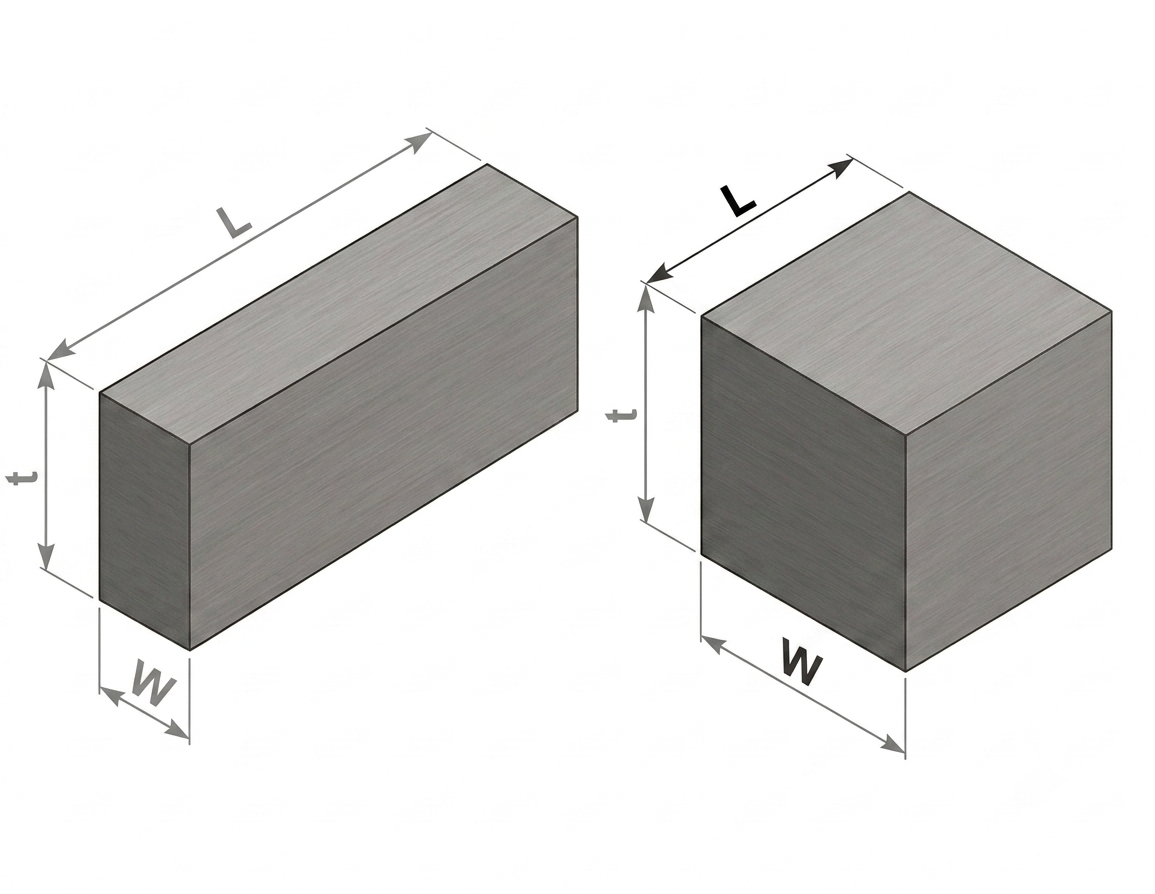
Sheet And Plate Weight Calculator
| Material | |
| Material Density (g/cm³) | |
| Width (W) | |
| Length (L) mm | |
| Thickness (t) | |
| Quantity | |
| Unit Weight | 0.00 kg |
| Total Weight | 0.00 kg |
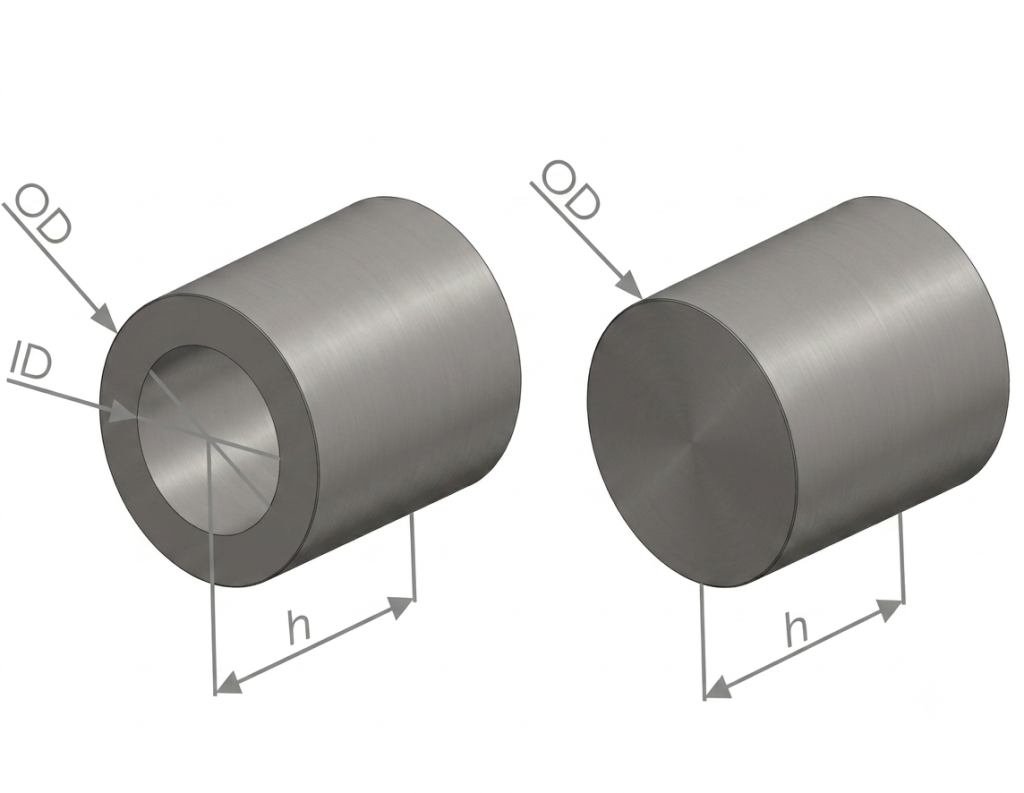
Tube and Round Weight Calculator
| Material | |
|---|---|
| Material Density (g/cm³) | |
| Diameter Ø (OD) mm | |
| Diameter Ø (ID) mm | |
| Length (h) mm | |
| Quantity | |
| Unit Weight | |
| Total Weight |
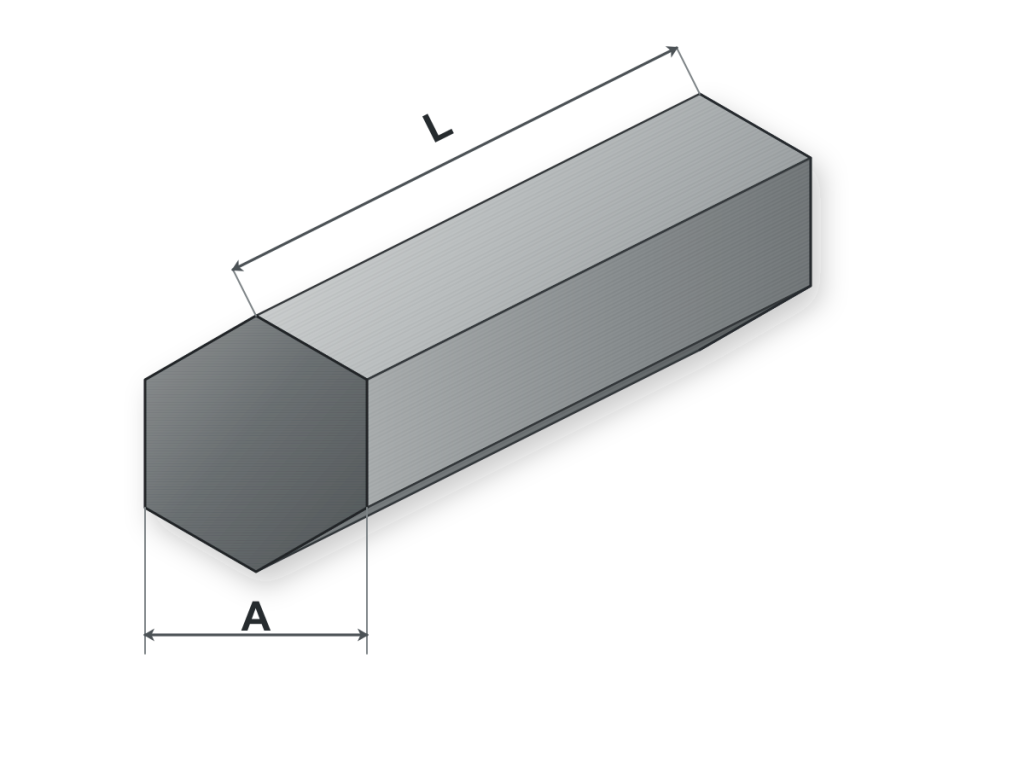
Hexagon Weight Calculator
| Material | |
| Material Density (g/cm³) | |
| Hex Size Across Flats (A) mm | |
| Length (L) mm | |
| Quantity | |
| Unit Weight |
0.00 kg
|
| Total Weight |
0.00 kg
|
Use the Material Weight Calculator to estimate the unit and total weight of common metals and engineering plastics.
The calculators support sheet and plate, tube and round, and hexagonal stock geometries. Metric and imperial inputs can be used depending on the selected calculator settings.
Weight estimates can support material purchasing, quotation preparation, logistics planning and early-stage manufacturing calculations.
Available Material Weight Calculators
Sheet and Plate Weight Calculator
Calculate the approximate weight of rectangular sheet or plate using material density, width, length, thickness and quantity.
Tube and Round Weight Calculator
Calculate the approximate weight of solid round bar or hollow tube using outside diameter, inside diameter, length, material density and quantity.
Enter an inside diameter of zero when calculating a solid round bar.
Hexagonal Bar Weight Calculator
Calculate the approximate weight of hexagonal stock using the size across flats, length, material density and quantity.
How Material Weight Is Calculated
Material weight is determined from the volume of the selected geometry and the density of the material:
Weight = Volume × Material Density
The calculator first determines the geometric volume and then applies the selected or manually entered density.
For multiple parts, the unit weight is multiplied by the entered quantity to determine the total estimated weight.
Selecting the Correct Material Density
The density values included in the calculator represent commonly used reference values. Actual density may vary according to:
- Material grade
- Alloy composition
- Reinforcement or filler content
- Supplier specification
- Manufacturing condition
For purchasing, structural calculations or certified documentation, use the density stated on the applicable material certificate or supplier datasheet.
DISCLAIMER
The weight calculations provided on this website are for reference purposes only and are based on standard material densities and nominal dimensions. Actual weights may vary depending on material grade, manufacturing tolerances, surface finish, and other production-specific factors.
While every effort has been made to ensure the accuracy of these calculations, Steptone Dış. Tic. Ltd. Şti makes no warranties or representations regarding their completeness or accuracy and accepts no liability for any loss or damage resulting from their use. Users are responsible for verifying all dimensions, material specifications, and calculated values before making engineering, purchasing, or manufacturing decisions.
Common Applications
The calculator can support preliminary weight estimates for:
- CNC machining stock
- Sheet metal and plate
- Round bar and tube
- Hexagonal bar
- Material purchasing
- Freight and packaging estimates
- Project quotation preparation
- Prototype and production planning
Important Engineering Notice
The calculated weights are approximate and are based on nominal dimensions and the selected material density.
Actual weight may vary because of dimensional tolerances, material grade, manufacturing variation, surface treatment, moisture content, coatings and other production-specific factors.
Stepstone makes no warranty regarding the completeness or suitability of the calculated results for a particular application. Users are responsible for verifying dimensions, material specifications, density values and final weights before making engineering, purchasing, logistics or manufacturing decisions.
Frequently Asked Questions
Can I enter a custom material density?
Use a custom density when the exact material grade or supplier specification differs from the standard value provided by the calculator.
Can the tube calculator calculate solid round bar?
Yes. Enter zero as the inside diameter to calculate a solid round section.
Why can the actual material weight differ?
Actual weight can vary because nominal dimensions, tolerances and standard density values do not always represent the exact finished material.
Tolerance Calculations

Drive Element Calculations
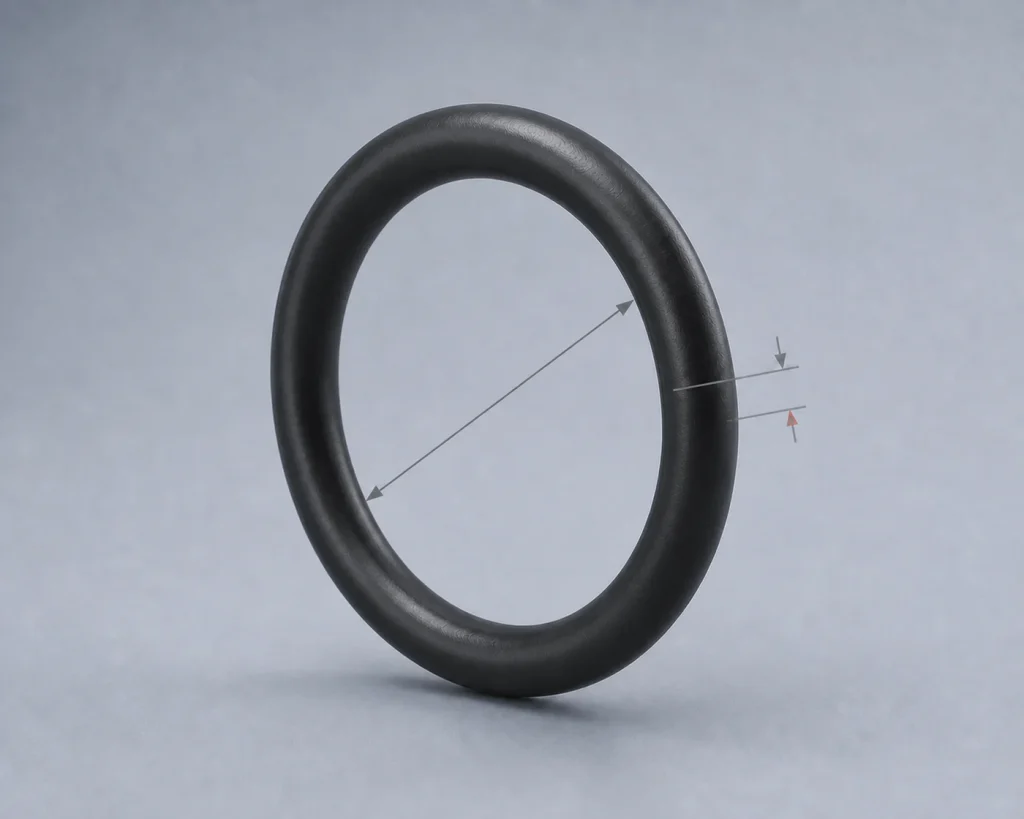
O-Ring Calculator
A Smarter Approach to Manufacturing Projects
Broad Manufacturing Expertise
Through a carefully selected network of manufacturing specialists, we deliver the capabilities needed for complex industrial projects—from individual components to fully integrated production solutions.
One Partner for Every Manufacturing Need
From engineering review and supplier selection to production, quality assurance, and logistics, we manage the entire manufacturing process through a single point of contact.
Built Around Reliability
Every project is managed with a focus on quality, transparency, and delivery performance. From the first inquiry to final shipment, we take responsibility for keeping production under control.